The bottom line
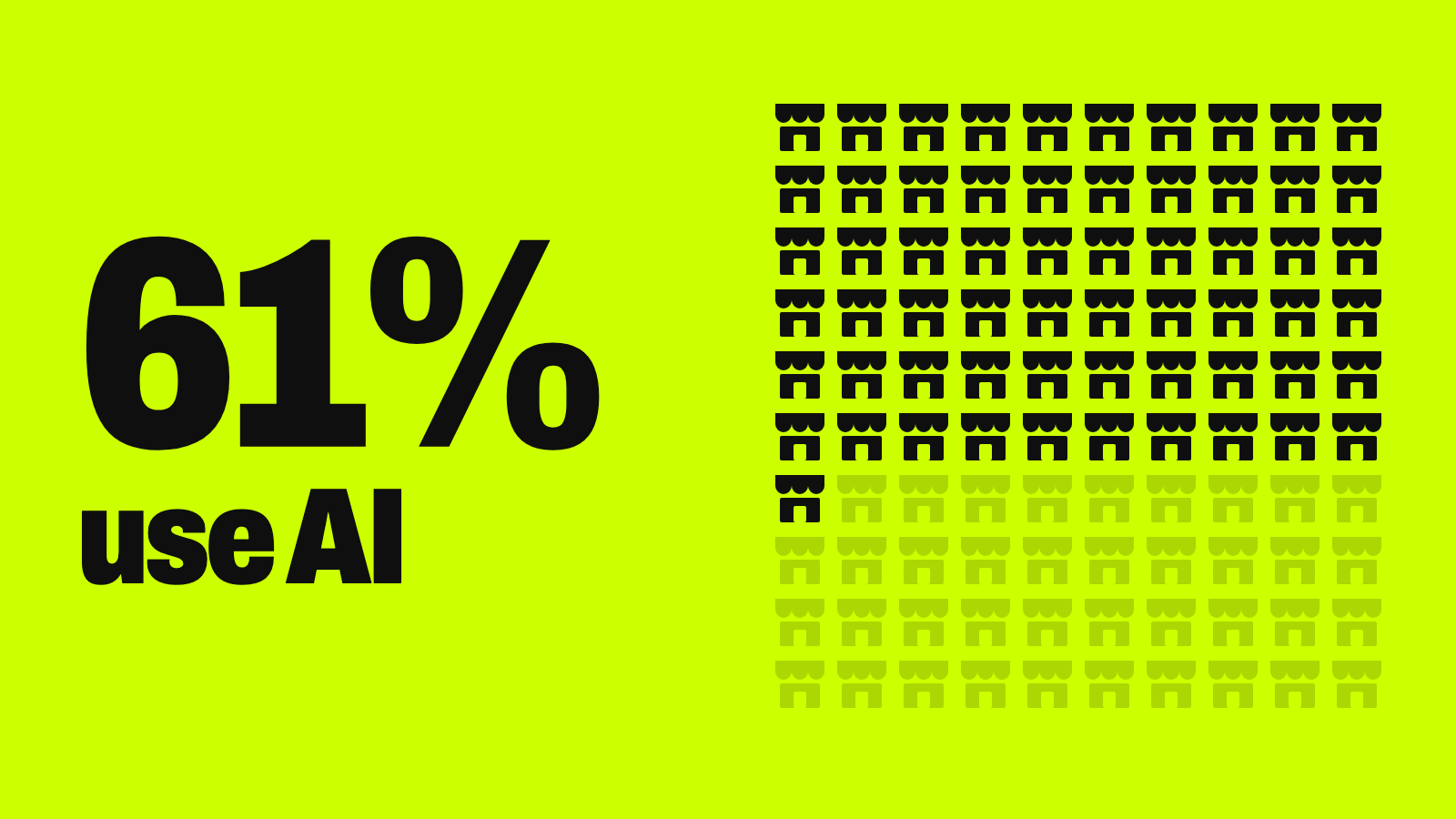
AI for small business means using affordable tools to automate repetitive marketing, customer service, and administrative work, then putting the time saved into sales and customer relationships. Most AI-using small businesses in Goldman Sachs’ 2026 survey spend under $100 a month. Results depend on clean data, human review, and starting with one measurable bottleneck rather than adopting AI everywhere at once.
- The easiest wins are marketing drafts, meeting notes, and routine customer questions.
- Check the AI features already inside your accounting, CRM, email, or help-desk software first.
- Keep refunds, legal language, and employment decisions with a person.
- Measure against a baseline at 30–90 days, then scale or stop.
How many small businesses use AI? It depends who’s counting
Adoption numbers vary widely depending on who’s asking and what counts as “using AI.” Here’s what four major sources found:
| Source | What it found | What it measures |
|---|---|---|
| U.S. Chamber of Commerce | 58% of small businesses used generative AI in 2025, up from 40% in 2024 and 23% in 2023 | Owners’ self-reported use of generative AI |
| U.S. Census Bureau | 19.8% of U.S. businesses were using AI as of May 2026 | Use in producing goods or services, across all businesses |
| JPMorganChase Institute | Businesses founded in 2025 reached 10% AI adoption in six months; those founded in 2019 took more than six years | Paid AI services, from business banking data |
| Goldman Sachs | 86% of its program graduates use AI, up from 56% in 2024 — but only 15% say it’s fully built into core operations | A survey of 2,473 established small businesses |
Why they differ: broad surveys count any use of a generative AI tool, even occasional; measures like the Census Bureau’s count formal use in running the business. Goldman’s sample is graduates of a selective growth program, so it skews toward established, ambitious firms. None of these is “wrong” — they measure different things. JPMorganChase also found employer businesses adopt AI at nearly twice the rate of solo businesses, with knowledge-heavy industries like professional services leading.
Where AI can give a small business a real advantage
Bigger companies can afford marketing departments, analysts, and training teams. AI gives a small business partial access to those capabilities without the headcount. It won’t erase a bigger competitor’s buying power, brand, or capital, but it can close the gap on speed, consistency, and responsiveness. In the Chamber’s survey, more than eight in ten small businesses said technology platforms have helped them compete with larger companies.
Marketing and customer acquisition
Drafting ad copy, emails, and product descriptions; turning one piece of content into social posts and FAQs; segmenting customers by purchase history; writing local service pages; and checking which campaigns actually bring in leads. Written marketing is one of the most common uses in Goldman’s survey (65% of AI users). See our guides to a social media content calendar and a marketing plan with AI.
Hypothetical example: a two-person landscaping company drafts seasonal emails (“spring cleanup,” “fall leaf removal”) and town-by-town service pages with AI. The owner edits everything before it goes out, but an evening’s work now takes about 20 minutes.
Customer service and responsiveness
Chatbots for order status, returns, and scheduling; after-hours answers to routine questions; drafted replies to email and social messages; and flagging frustrated customers for a person. Automate only predictable, low-risk questions — a fast wrong answer damages trust faster than a slower human one. See generative AI for customer support and AI receptionists.
Admin and back-office work
Often the safest starting point: meeting notes and action items, receipt and invoice categorization, drafting procedures, scheduling, and internal reports. The output stays internal, so mistakes are cheaper to catch. See turning meeting notes into action items and AI in accounting.
Sales and lead conversion
Scoring inbound leads, drafting personalized follow-ups, summarizing sales calls, and forecasting from past sales. Compare options in our roundup of AI tools for sales prospecting.
Operations, inventory, and scheduling
With clean historical data: demand forecasting, flagging slow-moving stock, optimizing routes or staff schedules, and spotting unusual expenses. A small retailer whose sales data flags slow winter stock in October has time to plan a markdown instead of finding the problem in January. Our explainer on AI automation shows where fixed rules beat AI.
Training, HR, and internal knowledge
Onboarding guides, searchable internal FAQs, and compliance quizzes — built from verified, current company policy, not unreviewed AI output. See our guide to HR process automation.
Where to start: a task priority table
Not every use deserves equal effort. Rank tasks by how easy they are to set up, how much data they need, and how risky a mistake would be:
| Task | Area | Setup | Data needed | Risk if wrong | Priority |
|---|---|---|---|---|---|
| Drafting marketing copy and emails | Marketing | Easy | Brand guidelines, past campaigns | Low | High |
| Meeting notes and summaries | Admin | Easy | None (internal) | Low | High |
| FAQ chatbot for routine questions | Customer service | Medium | Policies, FAQ document | Medium | High |
| Receipt and invoice categorization | Finance | Medium | Clean accounting records | Medium | Medium |
| Lead scoring and outreach drafts | Sales | Medium | CRM data | Medium | Medium |
| Demand and inventory forecasting | Operations | Hard | Historical sales data | Medium-high | Medium |
| Automated refunds or approvals | Service / finance | Hard | Policy rules, transactions | High | Low — keep human |
| Legal or contract drafting | Admin / legal | Hard | Templates plus legal review | High | Low — human-reviewed only |
Start with tasks that are easy to set up, don’t need perfect data, and are cheap to undo. Leave hard, high-stakes, hard-to-reverse work for later — or keep it human permanently.
A practical seven-step rollout plan
- Find an expensive bottleneck. Look for frequent, time-consuming, rules-based tasks you can measure.
- Define a measurable outcome. Record a baseline: response time, hours per week, proposal turnaround, or conversion rate.
- Start with AI already in your software. Check your accounting, CRM, email, or help-desk tools before buying something new; built-in features are easier to secure and avoid double data entry.
- Set up human review. Decide what staff can use directly, what needs a second look, and what always stays human — refunds, legal language, employment decisions, medical or financial advice.
- Check data quality and vendor terms. Find out whether your data trains the vendor’s models and whether you can opt out — OpenAI, for example, treats consumer and business plans differently — plus retention, encryption, access controls, and whether you can export your data.
- Train people to verify, not just use. Teach staff to check output, keep confidential data out of unapproved tools, and escalate when unsure.
- Measure at 30–90 days, then scale or stop. Keep going only if cost, speed, quality, or revenue measurably improved.
Try this: find your first AI project
List your biggest weekly time drains and let any AI assistant rank them:
Help me pick my first AI project. I run a [type of business] with [number] people.

Here are the tasks that eat the most time each week:
- [task] — about [hours] per week, done by [who]
- [task] — about [hours] per week, done by [who]
- [task] — about [hours] per week, done by [who]
- [task] — about [hours] per week, done by [who]

For each task, rate:
1. Ease of setup with off-the-shelf AI (easy / medium / hard)
2. Data it needs, and whether mine is likely clean enough
3. Risk if the AI gets it wrong (low / medium / high)
4. What a person must still review

Then pick the single best first project, suggest one metric to measure it, and tell me what to check at 30 days. Don't recommend automating refunds, legal documents, or hiring decisions.
For a deeper version of this plan, see how to start using AI at work without creating more chaos.
Budget reality: what AI actually costs a small business
It doesn’t take an enterprise budget. In Goldman Sachs’ 2026 survey, 73% of AI-using businesses spent less than $100 a month on AI tools or used only free ones, and 63% used AI every day. But the subscription isn’t the whole cost. Budget for:
- Time to set up and configure tools
- Cleaning up messy CRM or sales data so it’s usable
- Training staff
- Ongoing human review of AI output
The question isn’t “is this tool cheap?” It’s “does it produce more value than it costs once setup and review time are included?” Our guide to AI costs for small business breaks down current plan prices and sample budgets.
Limitations and risks small businesses should plan for
| Risk | What to watch for |
|---|---|
| Wrong answers | AI can be confident and wrong; verify anything customer-facing |
| Over-automation | Replacing too much personal contact can erode the service that sets you apart |
| Legal and compliance exposure | In the Chamber’s survey, nearly two-thirds of small businesses worried a patchwork of state AI and privacy laws could add compliance and litigation costs |
| Skills gap | In Goldman’s survey, 45% of non-users said they don’t know how to apply AI; 77% of graduates wanted more training (see free training programs) |
| Use isn’t integration | Only 15% of Goldman’s respondents said AI is fully built into core operations |
| Data quality | Forecasts and personalization are only as good as the records behind them |
Watch out
Don’t put customer, payroll, or financial data into a free consumer AI tool until you’ve read its data-use terms. Free plans are fine for brainstorming and drafting non-confidential material; business plans usually add privacy controls, admin permissions, and options to keep your data out of training.
None of this is a reason to avoid AI. In Goldman’s survey, 93% of AI users said it had a positive impact, and 84% reported no change in headcount — it shifted how people spent their time rather than replacing them. It’s a reason to start small, keep people in charge of consequential decisions, and measure honestly. For the bigger picture, see what AI for business means.
Your next step
Your first AI project, this month
- List the four tasks that take the most time each week.
- Score each by setup effort, data needed, and risk using the table above.
- Turn on the AI features already in a tool you pay for, for the top-ranked task.
- Write down who reviews the output and what never gets automated.
- Record your baseline today and review it in 30 days.
Keep going
Business Prompted publishes practical guides, tool reviews, and workflows for people who run businesses. Explore more at businessprompted.com.
Common questions
Will AI replace small-business employees?
Survey data points to augmentation more than replacement. In Goldman Sachs’ 2026 survey, 84% of AI-using businesses reported no change in headcount. The near-term effect is usually changing tasks, plus new review work.
Does a small business need technical expertise to use AI?
Not for drafting, summarizing, or scheduling. Technical skill matters more for connecting systems or building custom agents. A sensible path: individual tools, then team workflows, then integrations, then custom builds.
How much does AI cost for a small business?
In Goldman Sachs’ survey, 73% of AI-using businesses spent under $100 a month or used free tools. Setup time, data cleanup, training, and review often cost more than the subscription.
Is free AI good enough for a small business?
Free tools work for brainstorming and drafting non-confidential material. Paid business plans are usually better for privacy controls, admin permissions, and reliability.
What are the disadvantages of AI in business?
Inaccurate output, data-privacy and compliance exposure, a skills gap, and the risk of over-automating the personal service that sets a small business apart. Human review manages most of them.
What AI tools should a small business start with?
The AI features already built into the accounting, CRM, email, or help-desk software you use. They’re easier to manage and avoid duplicate data entry.
How do I know if an AI pilot is working?
Set a baseline before you start — response time, hours saved, or conversion — and review it at 30 to 90 days. Continue only if there’s a clear improvement.
What regulations apply to AI in a small business?
It depends on your location and industry, and can involve privacy, advertising, employment, or confidentiality rules. Document your uses and consult an attorney for high-risk applications.
Sources & further reading
- U.S. Chamber of Commerce — Empowering Small Business: The Impact of Technology (2025 report)
- JPMorganChase Institute — Small Business in the Age of AI (May 2026)
- U.S. Census Bureau — Large Firms With at Least 20 Employees Biggest AI Users (May 2026)
- Goldman Sachs 10,000 Small Businesses — The AI Economy Is a Small Business Economy (Oct 2026)
- OpenAI Help Center — How your data is used to improve model performance
A note on risk: This article is general information, not individualized business, tax, or legal advice. AI tools, vendor terms, and regulations change frequently; consult qualified professionals for guidance specific to your business.
Business Prompted guides are written for practical use and checked against the sources listed above. Read our editorial policy.