The bottom line
An AI chatbot is software that uses natural language processing and large language models to understand requests and reply in conversation. Beyond customer support, businesses use AI chatbots as internal help desks, pre-sales product guides, onboarding coaches, and lead-intake tools. The ones that work are connected to approved sources, limited by permissions, and set up to hand off to a person.
- Rule-based bots follow a script; AI chatbots generate answers — more flexible, but they need guardrails.
- Ground the bot in your approved documents so it answers from your policies, not general training data.
- Permissions decide who can see what. Instructions in a prompt don’t.
- You’re responsible for what your bot tells people — measure tasks it completes correctly, not conversations it logs.
Most articles about AI chatbots stop at customer support. This one covers four uses that get less attention: an internal help desk, a pre-sales product guide, an onboarding coach, and a lead-qualification tool. For ticket deflection, handoffs, and support metrics, see our companion guide to AI customer service.
What an AI chatbot is
A traditional chatbot follows a fixed script: menus, keyword triggers, and decision trees. An AI chatbot uses natural language processing (NLP), machine learning, and usually a large language model (LLM) to interpret varied phrasing, keep track of context across a conversation, and write a new response instead of pulling one from a canned list.
Salesforce defines an AI chatbot as a digital assistant that understands and responds to inquiries in real time, simulating human conversation — and notes that these bots “aren’t only about serving customers. They can support your internal team, too.” That internal half is what most coverage underplays. The same technology that answers “where’s my order?” on a website can answer “what’s our parental-leave policy?” on a company intranet, or “which plan fits a 50-person company?” on a sales page.
The building blocks worth knowing:
- NLP works out what someone is asking, whatever their exact wording.
- LLMs write flexible, context-aware replies instead of fixed scripts (how generative AI works).
- Retrieval-augmented generation (RAG) looks up information in approved company sources before answering — covered below.
- AI agents are a more autonomous category that can plan and carry out multistep actions, not just respond.
Rule-based chatbots vs. AI chatbots
“Chatbot” covers two different technologies, and knowing which one you need shapes the whole project.
Rule-based (decision-tree) bots match what someone types against predefined keywords or menu choices and follow a fixed branching path. They’re predictable and cheap to build, but they break down as soon as someone phrases a question in a way the designer didn’t anticipate.
LLM-based chatbots use intent recognition and entity extraction to interpret open-ended language, keep context across turns, and generate a response rather than select one. That flexibility lets one internal chatbot handle an HR question, an IT question, and a finance question in the same conversation — something a decision-tree bot can’t do without a separate hand-built flow for each topic.
| Rule-based chatbot | AI (LLM-based) chatbot | |
|---|---|---|
| Cost to build | Low | Low to start with tools you already pay for; higher for custom, connected setups |
| Predictability | High — every path is scripted | Lower — responses are generated |
| Handles varied phrasing | Poorly | Well |
| Risk of made-up answers | None from generation (though scripts can go out of date) | Present — managed with grounding and guardrails |
| Best fit | Narrow, high-volume, repetitive requests | Open-ended questions across varied topics |
For a narrow task like “reset my password,” a scripted flow may be all you need. For an internal assistant answering unpredictable questions across HR, IT, and policy documents, an LLM-based chatbot grounded in approved sources is usually the better fit.
Chatbot vs. AI assistant vs. AI agent
Marketing copy uses these three terms interchangeably, but they describe different levels of autonomy:
| System | What it does | Example |
|---|---|---|
| Chatbot | Responds to a question or request in conversation | Answers “what’s our expense reimbursement limit?” |
| AI assistant | Helps a person complete a task, often across several steps | Drafts an expense report and flags missing receipts |
| AI agent | Plans and carries out multistep actions using tools and connected systems, within set limits | Pulls the expense data, files the report, and notifies the approver — without step-by-step prompting |
As HubSpot puts it in its comparison of AI agents and chatbots, chatbots are built for conversations; the two differ in how much they know and how much they can do. A chatbot is a conversational interface. An agent takes on some of the deciding and doing that used to need a person to start each step — which is why agents need tighter limits. Our guide to AI agents covers how they work.
Four business uses beyond customer support
1. Internal knowledge and employee help desks
An internal chatbot can act as a front end to HR policies, IT troubleshooting steps, benefits information, and company wikis, turning scattered documents into something employees can just ask. The key design requirement is grounding: the bot should answer from your actual policy documents and records, not general training data, so it gives your real leave policy rather than a generic industry norm.
2. Product discovery and guided selling
Before a sale, a chatbot can help a buyer compare plans, answer specification questions, and narrow down options. That’s a pre-sales job, distinct from the post-sale bot that tracks orders or troubleshoots a product. A product-discovery bot draws on your catalog, pricing rules, and comparison data rather than a support knowledge base — so it’s only as accurate as those sources are current.
3. Employee and customer onboarding
Onboarding chatbots walk a new employee or customer through a defined sequence — account setup, required paperwork, system access requests, first configuration — and track progress so nothing gets skipped. Unlike open-ended support conversations, onboarding flows are semi-structured: the bot knows what comes next and checks that each step is done before moving on. Our guide to HR process automation maps the onboarding steps worth automating first.
4. Lead intake and qualification
A lead-intake chatbot collects structured details from a website visitor — company size, budget range, timeline, use case — and scores them against your qualification criteria before routing the conversation to a salesperson. Its job is to collect and organize information, not to close the sale or resolve an issue. Once leads are in, the sales prospecting tools we’ve reviewed take over the follow-up.
Watch out
If a sales or lead-intake bot talks to people in California, say clearly that it’s a bot. California’s bot disclosure law makes it unlawful to use a bot to mislead people about its artificial identity in order to encourage a sale. A clear “I’m an AI assistant” line at the start of the chat is the simple way to disclose it, and it’s good practice everywhere.
Where a business chatbot gets its answers: approved sources and retrieval
An approved source is any document, database, or system you designate as the authority on a topic: an HR policy manual, a product spec sheet, a CRM record, a wiki page. Restricting a chatbot’s answers to those sources is called grounding.
The usual way to ground a chatbot is retrieval-augmented generation, a technique first described in a 2020 research paper. AWS’s RAG explainer describes the same basic pipeline most business tools use:
- Someone asks a question.
- The system searches your approved documents for relevant passages.
- Those passages go to the language model along with the question.
- The model writes an answer based on the retrieved material — ideally pointing back to the source document.
This reduces — though doesn’t eliminate — the risk of a confident but wrong answer, often called a hallucination (NIST’s generative AI risk profile calls it confabulation). A general-purpose chatbot with no retrieval step answers from patterns it learned in training, which may be outdated, generic, or simply wrong for your business. Ask it “what’s our current PTO carryover limit?” and it has no way of knowing — but it may still produce a plausible-sounding number.
For a small business, the simplest grounded chatbot is a shared project or custom assistant inside an AI tool you already pay for, loaded with a handful of current documents. Start there before buying a dedicated platform; our AI cost guide compares what the main business plans include.
Try this: set up a grounded internal help desk
Paste these instructions into a shared project or custom assistant, then attach only the documents you want it to answer from:
You are the internal help desk for [business name]. You answer employee questions using ONLY the documents attached to this project: [list them — e.g., employee handbook, PTO policy, IT setup guide, job checklists].

Rules:
1. Answer only from the attached documents. Name the document and section you used.
2. If the answer isn't in the documents, say "I don't have that in our documents" and tell them to ask [name or role]. Never guess.
3. If a question is about someone's pay, health, a complaint, discipline, or a personal exception to a policy, don't answer — tell them to contact [name or role] directly.
4. If two documents disagree, show both passages and say which one is newer.
5. Keep answers short, in plain language, with steps as a numbered list.

Start by listing the topics you can help with, based on the attached documents.
Watch out
Treat anything you attach to a shared assistant as visible to everyone who can use it. Keep pay, health, and personnel files out of it. A rule in the prompt like “never reveal salaries” isn’t protection: OWASP’s guidance on sensitive information disclosure notes that such instructions “may not always be honored and could be bypassed.”
Permissions, data access, and escalation
Grounding controls what the bot can draw on. Permissions and escalation control who can see it and when a person needs to step in. That governance layer is what separates a working system from a demo.
Role-based access
A chatbot should only surface information the person asking is allowed to see. An employee bot connected to HR records should show someone their own benefits details — never a colleague’s salary — based on who they are and their role. OWASP recommends limiting access to sensitive data on the principle of least privilege. Some business platforms build this in: Microsoft’s Copilot Studio, for example, surfaces only SharePoint content the person chatting already has permission to open.
Data classification and logging
Label sensitive data — financial records, health information, personal details — and log access to it, so every chatbot interaction that touches it can be reviewed later.
Escalation triggers
A well-designed chatbot hands off to a person when:
- its confidence in an answer falls below a set threshold;
- the topic is flagged as sensitive (legal, medical, disciplinary);
- the person asks for a human; or
- the request falls outside the bot’s defined job.
Human review for higher-impact actions
For anything with real consequences — approving an expense, changing a CRM record, extending a job offer — route the action to a person for review instead of letting the system do it automatically.
Three example setups
These are hypothetical, illustrative composites, not case studies of real companies.
Example 1: Internal HR and IT chatbot at a 400-person software company
The company connects a chatbot to its employee wiki and HR information system (HRIS) using retrieval.
- An employee asks about parental leave eligibility.
- The chatbot retrieves the policy section from the approved wiki and the employee’s own HRIS record, through role-based permissions.
- It writes a grounded answer that cites the policy document.
- When the employee asks about a personal exception, the bot hands off to an HR representative instead of answering.
Example 2: Product-discovery and lead-intake chatbot at a B2B equipment maker
- A visitor describes their use case and asks which model fits their throughput needs.
- The chatbot retrieves specifications from the product catalog and recommends options.
- It asks qualifying questions — company size, timeline, budget range — and scores the lead against set criteria.
- Qualified leads go to a sales rep with account context from the CRM; others get self-service resources.
Example 3: A starter help desk at a 15-person HVAC company
- The owner creates a shared project in the company’s existing AI plan and attaches the employee handbook, the current price sheet, and the job-completion checklists.
- Technicians ask it things like “what’s the checklist for a furnace tune-up?” from their phones between jobs.
- Questions about pay, time-off exceptions, or anything not in the documents go to the office manager.
- The office manager replaces the price sheet whenever prices change, so the bot never quotes old numbers.
How common this is
Large organizations are furthest along. McKinsey’s State of AI survey (published August 2026, 1,719 respondents) found:
McKinsey, The State of AI: Global Survey 2026 (fielded May 4 – June 8, 2026).
| Finding | Share |
|---|---|
| Organizations regularly using AI in at least one business function | Nearly 9 in 10 |
| Organizations scaling AI across the enterprise (38% a year earlier) | 44% |
| Companies with $1 billion+ in revenue scaling AI enterprise-wide | 54% |
| Smaller organizations scaling AI enterprise-wide | About one-third |
| Large organizations scaling AI agents | 40% |
| Smaller organizations scaling AI agents | 22% |
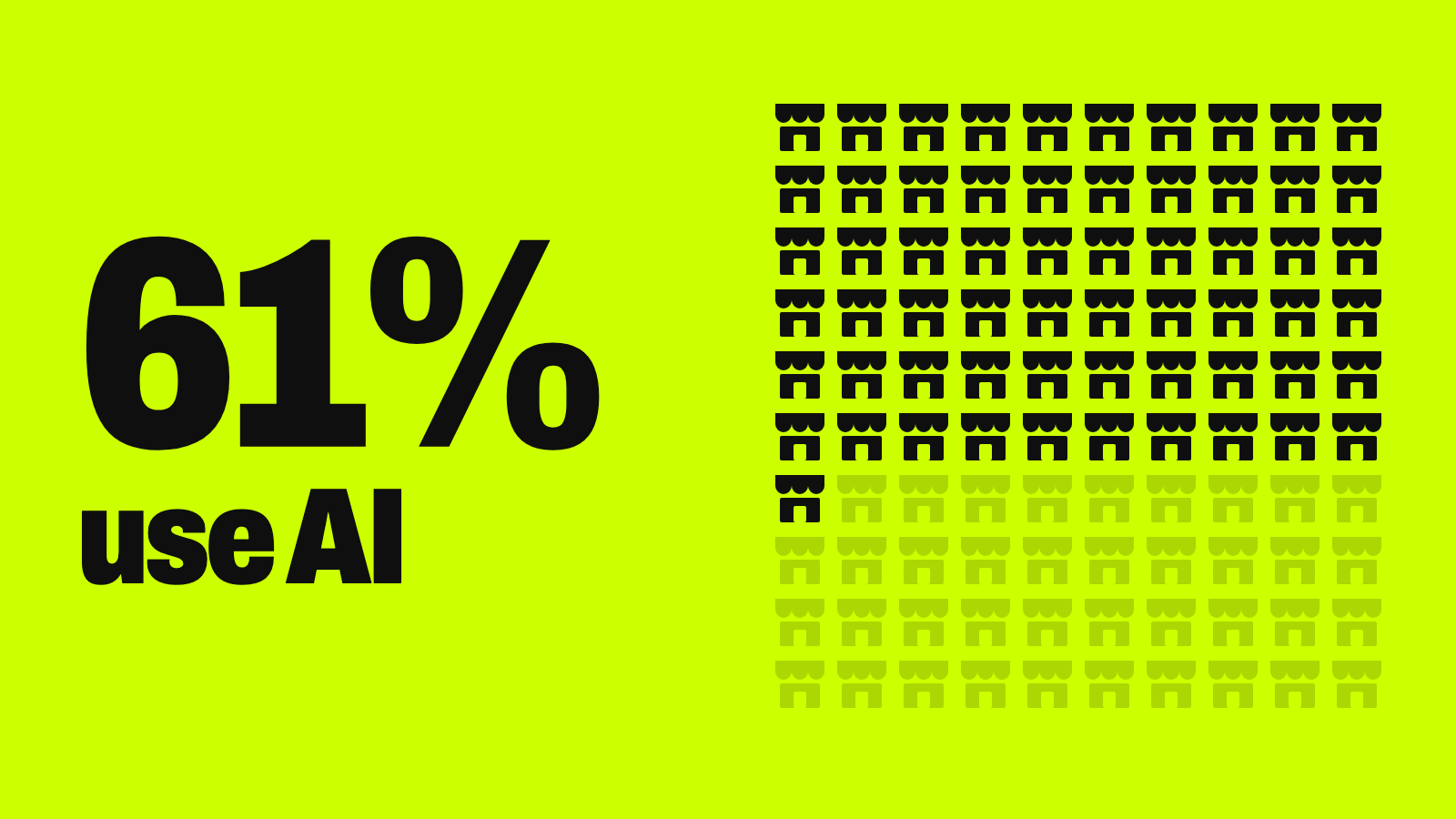
McKinsey’s sample leans large — 36% of respondents work at companies with more than $1 billion in revenue. Small businesses look different: in OnDeck’s latest survey of small business owners, 61% use AI, mostly for marketing and finding business solutions, and only 14.6% of those users apply it to customer service (see the full breakdown). The gap points to two different milestones. Many businesses use a chatbot somewhere; far fewer have connected one to their own data with permissions, escalation, and measurement in place.
Risks and guardrails for non-support chatbots
Outside support, the same risks apply with different stakes:
- Wrong answers. A hallucinated policy answer can misinform an employee about a benefit or a deadline; a product bot can quote the wrong price.
- Data leakage. A bot can surface information someone isn’t authorized to see — the direct argument for role-based access.
- Prompt injection. Instructions hidden in a message or document can try to override how the bot behaves (OWASP’s top LLM risk).
- Bias. A lead-qualification bot can systematically deprioritize certain kinds of prospects. If a bot touches hiring, the stricter rules in our guide to AI in HR and recruiting apply.
- Overreliance. Generated product comparisons or onboarding instructions that nobody reviews let errors spread.
You’re also accountable for what the bot says. In Moffatt v. Air Canada (2024), a Canadian tribunal ordered the airline to compensate a customer after its website chatbot described a bereavement-fare refund policy incorrectly. The tribunal rejected the argument that the chatbot was responsible for its own answers: it “makes no difference whether the information comes from a static page or a chatbot.” Each of these risks is handled the same way — through the grounding, permissions, and escalation design above, built in from the start rather than bolted on later.
How to measure success for a non-support chatbot
Match the metrics to the job instead of borrowing support measures like satisfaction scores or first-response time:
| Metric | What it tells you |
|---|---|
| Task completion rate | Did the bot actually resolve the request — answer the policy question correctly, finish the onboarding step? |
| Time saved | Minutes saved per employee task or per sales conversation |
| Escalation rate | How often the bot hands off to a person, and why |
| Lead-to-meeting conversion | For lead-intake bots: how many qualified chats become booked meetings |
| Adoption rate | How many eligible employees or visitors actually use it |
A chatbot that logs plenty of conversations but rarely completes a useful task isn’t a success. Spot-check a sample of answers against the source documents every month.
Key terms
| Term | Meaning |
|---|---|
| Grounding | Restricting chatbot answers to trusted, approved sources |
| Hallucination | A confident but incorrect or unsupported AI answer |
| Retrieval-augmented generation (RAG) | Looking up relevant passages in your documents before the model answers |
| Guardrails | Technical or policy controls that limit what a chatbot can do or say |
| Tool calling | A model’s ability to use outside software, APIs, or workflows |
| Copilot | An assistant designed to support a person rather than act on its own |
| Intent recognition | Working out what someone is trying to accomplish |
| Entity extraction | Pulling specific details from a request — names, dates, account numbers |
| Omnichannel deployment | Offering the same chatbot on web, mobile, messaging, or voice (AI receptionists are the phone version) |
Your next step
Pick one non-support job and pilot it
- Choose one specific use: internal knowledge, product discovery, onboarding, or lead intake.
- Decide whether the bot should answer, recommend, or take action — start with answering.
- Gather and vet the approved documents it will draw from, and remove anything sensitive.
- Set permissions and escalation rules before you connect any sensitive system.
- Pilot with a small group, log the conversations, and measure task completion and adoption.
- Name one owner for the bot and its sources, and expand only as it proves reliable.
Keep going
Business Prompted publishes practical guides, tool reviews, and workflows for people who run businesses. Explore more at businessprompted.com.
Common questions
What is the difference between a rule-based chatbot and an AI chatbot?
Rule-based bots follow predefined decision trees and only handle phrasing their designers anticipated. AI chatbots use NLP and large language models to interpret varied language and generate flexible responses — which is why they need stronger guardrails to keep answers accurate.
What is an AI bot?
“Bot” is an umbrella term for any automated software that acts on someone’s behalf. A chatbot is specifically a conversational interface; an AI agent is a more autonomous system that can plan and carry out multistep actions.
Is ChatGPT an AI chatbot?
Yes. ChatGPT is a general-purpose, LLM-based chatbot. For internal or customer-facing business use, companies typically need a governed setup grounded in approved company documents, with permissions, rather than an unrestricted consumer account.
What is the difference between an AI chatbot, an AI assistant, and an AI agent?
A chatbot answers questions, an assistant helps complete a task across several steps, and an agent plans and carries out multistep actions using connected tools. Answering a policy question is a chatbot task; drafting an expense report is an assistant task; filing and routing it for approval is an agent task.
What should a business do before deploying an AI chatbot?
Define the use case and its risk level, choose the approved sources it will answer from, set permissions, and write escalation rules — before choosing a vendor or platform.
What information should not be shared with a business chatbot?
Customer personal data, passwords and credentials, and regulated information such as health or financial records shouldn’t go into general-purpose consumer tools. Sensitive data belongs only in permissioned, logged business systems.
Can an AI chatbot access company data safely?
Yes — through retrieval and APIs combined with sign-in, role-based access, and audit logging. Not by giving a model unrestricted access to a database.
Will AI chatbots replace jobs outside of customer support?
Chatbots mostly change tasks rather than whole roles: looking up answers, drafting, and collecting intake details are the most automatable parts. Work built on judgment, relationships, and accountability changes least — and someone still has to own the bot’s sources and review what it gets wrong.
Sources & further reading
- Salesforce — What Is an AI Chatbot?
- HubSpot — AI agents vs. chatbots
- AWS — What is retrieval-augmented generation (RAG)?
- Lewis et al. — Retrieval-Augmented Generation for Knowledge-Intensive NLP Tasks (arXiv, 2020)
- Microsoft Learn — Add SharePoint as a knowledge source (Copilot Studio)
- OWASP GenAI Security Project — LLM02:2025 Sensitive Information Disclosure
- OWASP GenAI Security Project — LLM01: Prompt Injection
- NIST AI 600-1 — Generative Artificial Intelligence Profile
- B.C. Civil Resolution Tribunal — Moffatt v. Air Canada, 2024 BCCRT 149
- California Business and Professions Code § 17941 (bot disclosure)
- McKinsey — The State of AI: Global Survey 2026 (Aug 25, 2026)
A note on risk: This guide is general information, not legal or security advice. Before connecting a chatbot to employee, customer, or financial data, review your vendor’s data-handling terms and the privacy and consumer-protection rules where you operate.
Business Prompted guides are written for practical use and checked against the sources listed above. Read our editorial policy.