The bottom line
AI for business means applying artificial intelligence — machine learning, generative AI, predictive analytics, and AI agents — to improve business processes, decisions, and customer or employee experiences. Common uses include customer service automation, sales forecasting, fraud detection, and content generation. The goal is measurable results: faster workflows, lower costs, and better decisions, not AI adoption for its own sake.
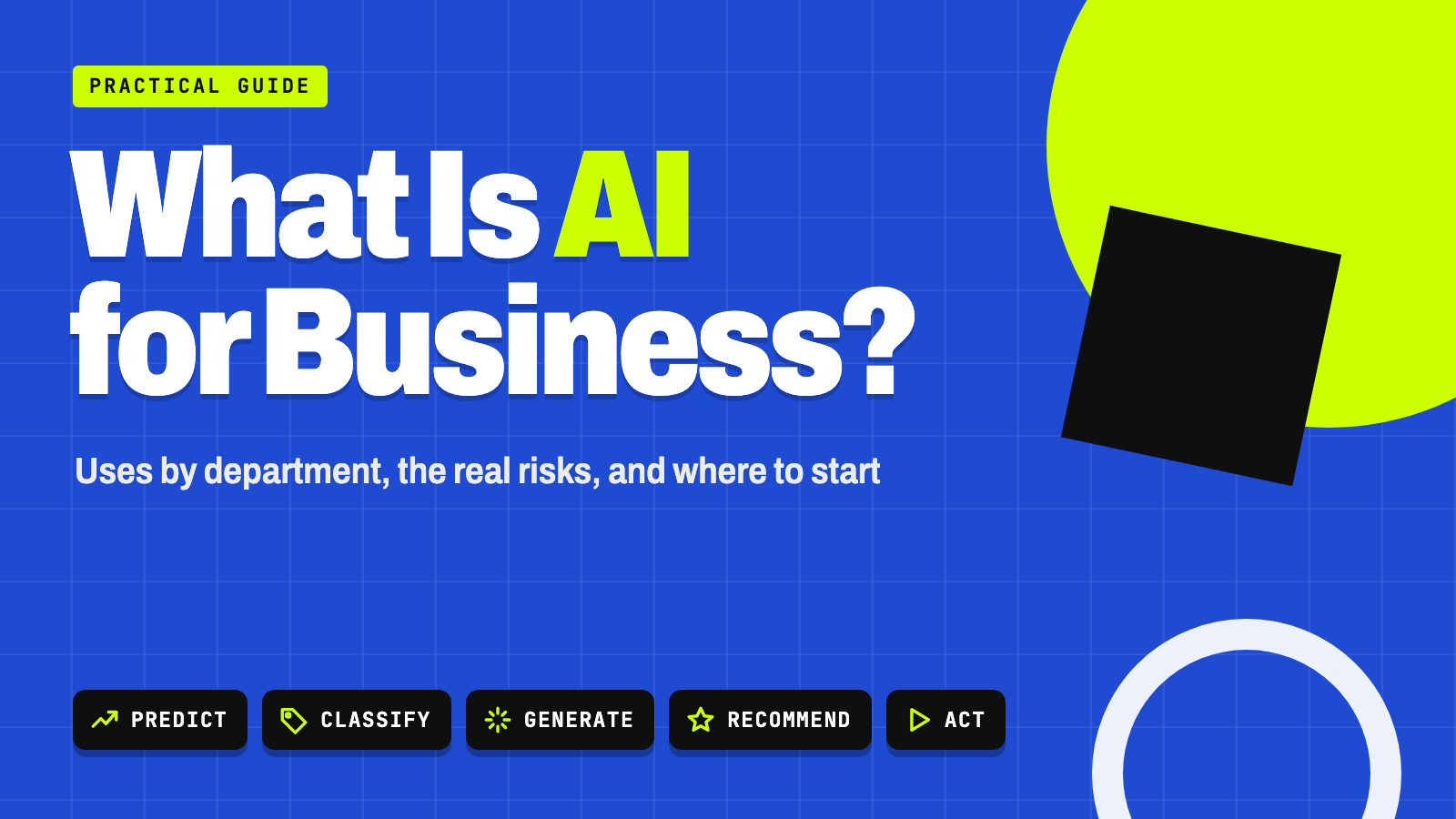
- Most business AI does one of five jobs: predict, classify, generate, recommend, or act.
- Every department has practical uses, from support-ticket routing to invoice extraction.
- Small businesses rarely need custom models — off-the-shelf tools cover most starting points.
- Pair every use case with a metric, a human owner for consequential decisions, and a risk check.
- Start with a bounded pilot, measure against a baseline, and scale only after it works.
What AI for business means
Artificial intelligence in business covers a range of technologies, not a single tool. It includes traditional machine learning (for prediction and classification), generative AI (for creating text, images, and code), predictive analytics, computer vision, natural-language processing, recommendation systems, and increasingly, AI agents that carry out multistep tasks across software.
The practical goal isn’t simply to “use AI.” It’s to improve something measurable: revenue, productivity, cycle time, quality, customer satisfaction, risk control, or operating cost. An AI project without a clear metric attached is a demo, not a business initiative.
How widely businesses use AI right now
AI has moved from isolated experiments toward everyday operations, at least in larger companies. McKinsey’s 2026 State of AI survey of 1,719 respondents found:
McKinsey, The State of AI: Global Survey 2026 (fielded May 4 – June 8, 2026).
| Finding | Share |
|---|---|
| Organizations using AI regularly in at least one business function | Nearly 9 in 10 |
| Organizations scaling AI across the enterprise (38% a year earlier) | 44% |
| Organizations using AI in three or more functions (up from 51%) | 56% |
| Organizations with $1 billion+ in revenue scaling AI enterprise-wide | 54% |
| Smaller organizations scaling AI enterprise-wide | About one-third |
| Large organizations scaling AI agents (up from 27%) | 40% |
| Smaller organizations scaling AI agents (flat) | 22% |
| Respondents attributing any EBIT impact to AI (about the same as last year) | 37% |
Two caveats. First, McKinsey’s sample leans large: 36% of respondents work at companies with more than $1 billion in revenue. Across all U.S. businesses, the Census Bureau measured AI use at 19.8% as of May 2026. Second, adoption isn’t the same as return — only 37% of McKinsey’s respondents attribute any profit impact to AI. For most businesses, the challenge has shifted from “can we access AI tools?” to workflow redesign, data quality, employee adoption, and proving real ROI.
The five things AI does in a business
Most business AI applications fall into one or more of five categories. Knowing which one a tool performs is the fastest way to judge whether it fits your problem.
| Function | What it does | Examples |
|---|---|---|
| Predict | Estimates what’s likely to happen | Demand, customer churn, fraud risk, equipment failure |
| Classify | Sorts things into categories | Support tickets, documents, transactions, sales leads |
| Generate | Creates new content | Emails, proposals, summaries, code, marketing drafts |
| Recommend | Suggests the next best option | Products, prices, next actions, personalized content |
| Act | Carries out tasks in other systems | Scheduling, updating records, routing requests |
Traditional AI tends to focus on prediction and classification. Generative AI creates new content. Agentic AI combines a model with tools, memory, and rules so a system can pursue a goal across multiple steps — ideally with a person approving key decisions. Our explainer on AI workflow automation covers how the “act” category works in practice.
AI uses by department
Customer service
Answering FAQs through chat or voice, summarizing conversations, classifying and routing tickets, pulling answers from a knowledge base, suggesting replies to human agents, and flagging frustrated customers. The common model is “AI first, human when necessary”: the system handles routine requests and hands ambiguous or sensitive cases to a person. See our guides to generative AI for customer support and AI receptionists.
Sales and marketing
Lead scoring, personalized email and ad copy, customer segmentation, call summaries, next-best-action suggestions, and campaign analysis. Generative AI speeds up content, but claims about pricing, health, or financial benefits always need a human compliance check before they go out. Related: AI tools for sales prospecting and building a marketing plan with AI.
Finance and accounting
Invoice extraction and matching, expense categorization, collections prioritization, forecasting, anomaly detection, and cash-flow analysis. Financial workflows need stronger controls than drafting tasks: an error in a forecast or fraud alert carries direct money and regulatory consequences. For reporting, see how to use AI to generate business reports.
Human resources
Job description drafting, interview scheduling, employee self-service answers, workforce planning, and skills matching. Résumé screening is the sensitive one: automated screening can reproduce historical bias, and some places regulate it — New York City’s Local Law 144 requires a bias audit before employers use automated employment decision tools. Keep people accountable for hiring decisions. Our guide to HR process automation shows where the safe starting points are.
Operations and supply chain
Demand forecasting, inventory optimization, route planning, supplier-risk monitoring, production scheduling, quality inspection with computer vision, and predictive maintenance, which looks for patterns that come before equipment failures so repairs happen before a shutdown. Results depend heavily on data quality. For office operations, turning meeting notes into action items is an easy first win.
Product development and engineering
Code generation and review, automated tests, technical document search, design alternatives, and defect detection. AI-generated code can speed development but can also introduce security holes, licensing issues, or hidden bugs, so engineering review and automated testing remain necessary.
Legal, compliance, and risk
Contract clause extraction, policy comparison, regulatory-change monitoring, due-diligence support, and security alert triage. These tools should support professional judgment, not replace it. Consult qualified legal or compliance professionals before relying on AI output for decisions with contractual or regulatory weight.
Business AI examples by industry and size
The industry examples below are illustrative, hypothetical composites — not real companies or guaranteed outcomes.
| Industry | How AI capabilities might combine | What to measure | Extra care needed |
|---|---|---|---|
| Retail | Demand forecasting for inventory, product recommendations, shelf monitoring with computer vision, and an assistant that helps staff find product and policy answers | Fewer stockouts, higher conversion, less waste | Customer data privacy |
| Banking | Flagging unusual transactions, summarizing customer interactions, processing applications, and helping staff answer policy questions | Fraud losses, processing time | Strict access controls, audit trails, compliance review |
| Healthcare | Appointment scheduling, document summarization, claims processing, and patient-message triage | Wait times, admin hours | Clinical validation, privacy, qualified clinical oversight |
Small business
Small companies usually get the most value from lower-risk starting points that use off-the-shelf tools, not custom models:
- Drafting and editing marketing materials
- Summarizing meetings and assigning follow-ups
- Answering frequently asked customer questions
- Extracting data from invoices and receipts
- Writing first drafts of proposals
- Forecasting sales from historical data
- Building a searchable internal knowledge base
If you haven’t rolled out any AI yet, start with our guide to using AI at work without creating more chaos.
Key AI terms business owners should know
| Term | Meaning |
|---|---|
| Artificial intelligence | Systems that perform tasks associated with human intelligence, like reasoning, language, or decision support |
| Machine learning | AI that learns patterns from data rather than fixed rules |
| Deep learning | Machine learning using multilayer neural networks |
| Generative AI | AI that creates text, images, audio, video, or code |
| Large language model (LLM) | A model trained on large amounts of text to predict and generate language |
| Foundation model | A broadly trained model adapted to many downstream tasks |
| AI agent | A system that uses a model, tools, and instructions to complete multistep tasks |
| Predictive analytics | Methods for estimating future outcomes from data |
| Natural-language processing (NLP) | AI for understanding and generating human language |
| Computer vision | AI for interpreting images and video |
| RAG (retrieval-augmented generation) | A setup where the model retrieves relevant company information before generating an answer |
| Fine-tuning | Additional training that adapts a model to a specific task or style |
| Hallucination | A confident but inaccurate or unsupported output; NIST calls it “confabulation” |
| Human in the loop | A design where a person reviews or approves AI output |
| Model drift | Declining performance as real-world data changes over time |
| Responsible AI | Practices aimed at safe, fair, transparent, and accountable AI use |
Generative vs. traditional AI: traditional AI predicts, classifies, or recommends; generative AI creates new content. Many businesses combine both — a predictive model flags customers likely to leave, and generative AI drafts the outreach message.
Value and risk: the two questions to ask
Two widely used sources frame business AI from complementary angles. McKinsey’s research frames it as an adoption and value question: is the organization using AI across more functions, and is it capturing measurable value as it scales? The National Institute of Standards and Technology frames it as a risk question. Its AI Risk Management Framework is intended for voluntary use and helps organizations build trustworthiness into how AI is designed, used, and evaluated. Notably, NIST’s “Map” guidance asks organizations to clearly define “the business value or context of business use” as part of managing risk.
Put together, every use case should pass two tests: Does this create measurable value? and Can we deploy it safely?
Where the value usually comes from: faster processing and shorter cycle times, lower administrative costs, more consistent service, better forecasting, more personalized customer experiences, easier employee access to information, and earlier detection of fraud, defects, or operational problems. The strongest opportunities combine a clear bottleneck, accessible data, a repeatable workflow, and a measurable outcome. Projects missing one of those four tend to stall.
Risks and limitations of business AI
| Risk | What it looks like | How to manage it |
|---|---|---|
| Inaccuracy | Plausible but false output — what NIST calls “confabulation” | Human verification for legal, financial, medical, or customer-facing output |
| Bias | Models reproduce biased historical data, a concern in hiring, lending, insurance, and pricing | Documented criteria, fairness checks, human decisions |
| Privacy | Personal or proprietary data sent to an AI service without clear retention rules | Approved tools only; know your data settings |
| Security | Prompt injection, data poisoning, or misuse of connected tools | Limit permissions; require approval for high-impact actions |
| Intellectual property | Unclear ownership of generated content; the U.S. Copyright Office has published guidance on copyrightability of AI outputs | Written policies on training data, outputs, and code licensing |
| Explainability | Some models are hard to interpret | Match the level of explanation to how consequential the decision is |
| Automation complacency | Employees accept AI output without review | Stronger approvals and audits for bigger decisions |
| Weak business case | A great demo that never pays off | Count data prep, integration, usage fees, security, and training |
Watch out
Don’t paste confidential business data, customer personal information, login credentials, trade secrets, or regulated records into an AI tool your business hasn’t approved and configured. Check how each tool stores and uses your data before you connect it to anything sensitive.
How to choose your first AI use case
- Pick a specific problem. Define the process, the users, the current cost, and the outcome you want.
- Set a baseline. Measure current speed, quality, error rate, or cost before you change anything.
- Check your data. Is it accurate, complete, current, and are you allowed to use it?
- Start with a bounded pilot. Choose a low- or moderate-risk workflow with clear success criteria.
- Use the simplest tool that works. A rules engine or an AI feature you already pay for may beat anything custom.
- Keep humans accountable. Decide what AI can do on its own and what needs approval.
- Test before rollout. Check accuracy, bias, security, and what happens when it fails.
- Connect it to existing tools. Value comes from fitting into software your team already uses.
- Monitor continuously. Track quality, usage, cost, and feedback over time.
- Scale only after evidence. Expand once the pilot shows durable value without unacceptable risk.
Quick check: Is the workflow repetitive and well-defined? Is the data accessible and reasonably clean? Is the cost of an occasional error low to moderate? Can you measure the before-and-after result? If all four answers are yes, it’s a reasonable first pilot.
Try this: find your first use case
List your five biggest weekly time drains and let an AI assistant do a first pass at ranking them:
I run a [type of business] with [number] employees. Help me pick a first AI use case.

Here are 5 tasks that eat the most time each week:
1. [task, who does it, hours per week]
2. [task, who does it, hours per week]
3. [task, who does it, hours per week]
4. [task, who does it, hours per week]
5. [task, who does it, hours per week]

For each task, tell me:
- Which of these AI functions it needs: predict, classify, generate, recommend, or act
- Whether the data it needs is likely accessible and reasonably clean
- What a mistake would cost (low, moderate, or high) and who should review the output
- How I'd measure before-and-after results

Then rank the tasks from best to worst first pilot and explain why. Flag anything involving hiring, lending, health, legal, or customer money as high risk.
How to estimate AI ROI for a use case
A simple planning formula:
ROI = (financial benefit − AI costs) ÷ AI costs
Benefits can include freed-up staff time, added revenue, fewer errors, reduced losses, or faster cycle times. Costs should include software or usage fees, setup and integration, data preparation, security, training, and ongoing monitoring — not just the subscription price.
Illustrative example only, with made-up numbers.
| Item | Amount |
|---|---|
| Time saved drafting proposals: 4 hours a week × $35/hour × 50 weeks | $7,000 benefit |
| AI tool for 2 users, setup time, and a monthly review | $1,500 cost |
| ROI = ($7,000 − $1,500) ÷ $1,500 | About 3.7, or 367% |
The number only means something if you measured the baseline first; without one, it’s hard to show improvement credibly. For realistic price ranges, see our breakdown of AI costs for small businesses. This formula is a planning tool, not financial advice, and actual results vary.
Your next step
Pick your first AI pilot this week
- List the five tasks that take your team the most time each week.
- Label each one: predict, classify, generate, recommend, or act.
- Cross off anything involving hiring, lending, health, or legal decisions for now.
- Measure the current time or cost of the best remaining candidate.
- Run a 30-day pilot with one tool, one owner, and one success metric.
Keep going
Business Prompted publishes practical guides, tool reviews, and workflows for people who run businesses. Explore more at businessprompted.com.
Common questions
How is AI being used in businesses today?
Across customer service, sales, finance, HR, operations, and product development — mostly for prediction, classification, content generation, and recommendations, with growing use of AI agents for multistep tasks, according to McKinsey’s 2026 survey.
What are the main areas of AI?
Commonly cited areas include machine learning, natural-language processing, computer vision, robotics, speech recognition, and planning or reasoning systems. There’s no single official list.
Is AI for business only for large companies?
No. Large companies lead in enterprise-wide scaling, but small businesses can use ready-made AI tools for writing, customer support, forecasting, and document processing without building anything custom.
Does a company need to build its own AI model?
Usually not. Most businesses get value from existing software, APIs, or tools that search their own documents. Building a model is typically justified only for specific, high-differentiation needs.
What’s the difference between generative AI and traditional AI?
Traditional AI predicts, classifies, or recommends. Generative AI creates new content such as text, images, or code. Many businesses use both together.
Will AI replace employees?
In the near term, AI is more likely to automate specific tasks than entire jobs. Judgment, relationships, and accountability tend to stay with people, though the impact varies by role and company.
How accurate does business AI need to be?
It depends on the cost of a mistake. Drafting tools can tolerate errors a person will catch; fraud, lending, or medical systems need rigorous testing and human escalation.
What data shouldn’t go into a public AI tool?
Confidential business data, customer personal information, login credentials, trade secrets, and regulated records — unless the tool has been approved with proper data controls.
Sources & further reading
- McKinsey — The State of AI: Global Survey 2026 (Aug 25, 2026)
- U.S. Census Bureau — Large Firms With at Least 20 Employees Biggest AI Users (May 2026)
- NIST — AI Risk Management Framework
- NIST AI RMF Playbook — Map
- NIST — AI 600-1, Generative AI Profile
- OWASP GenAI Security Project — LLM01:2025 Prompt Injection
- U.S. Copyright Office — Copyright and Artificial Intelligence
- NYC Department of Consumer and Worker Protection — Automated Employment Decision Tools
- AWS — What is retrieval-augmented generation (RAG)?
A note on risk: Outcomes from any AI initiative vary by company, data quality, and execution; nothing here guarantees specific results. Tax, legal, and compliance implications of AI use vary by business and jurisdiction, so consult qualified professionals before making decisions in regulated areas like finance, employment, or healthcare.
Business Prompted guides are written for practical use and checked against the sources listed above. Read our editorial policy.